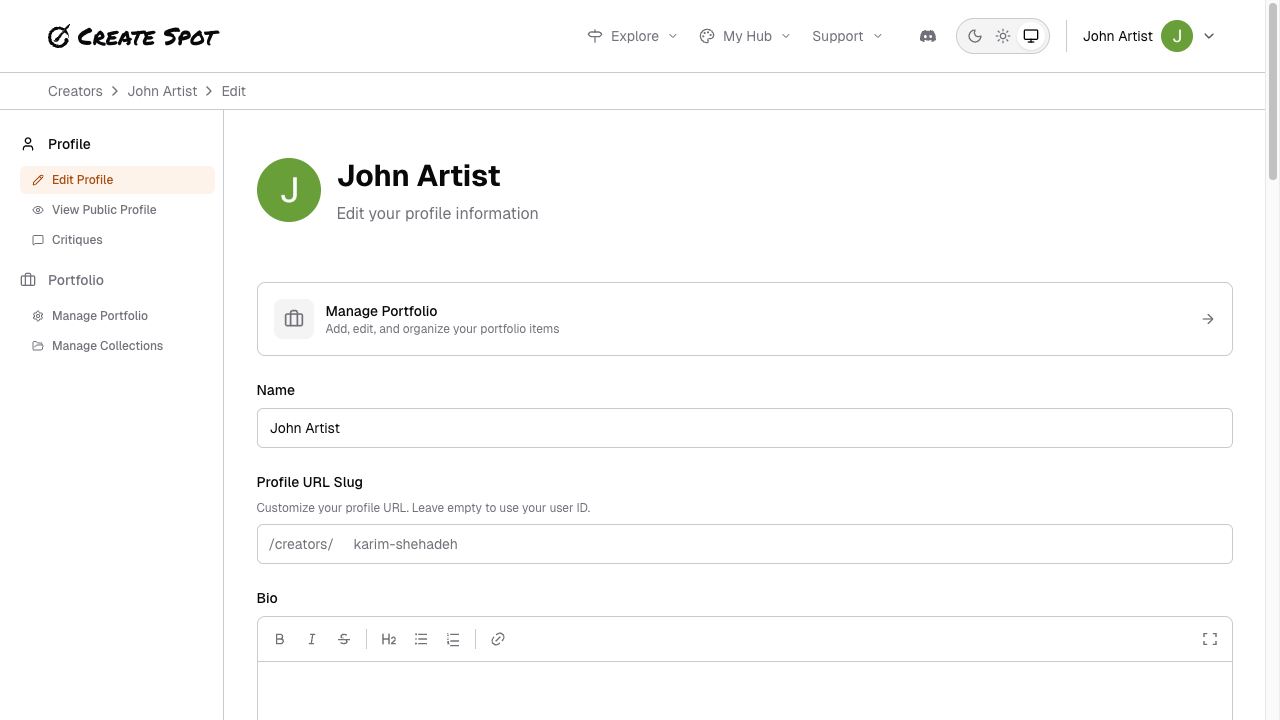
Your “space” is the set of options that control how your profile and work are presented and protected.Documentation Index
Fetch the complete documentation index at: https://help.create.spot/llms.txt
Use this file to discover all available pages before exploring further.
Featured piece
Choose one submission to highlight on your profile. It appears prominently so visitors see a representative work first. You can change it anytime from your portfolio or profile settings.Protections
You can turn on options to protect your work:- Download prevention — Restrict or discourage downloading of your images.
- Watermarking — Optional watermark so shared work is attributed to you.
- AI training opt-out — Signal that your work should not be used for AI training. See A Word About AI for more context.
Tutorials
If the app offers tutorials or hints, you can often control whether they appear for you (e.g. first-time setup or specific flows). Check profile or account settings for tutorial/hint toggles.Your language
Set your preferred language for the interface and, where applicable, for your profile and content. This affects labels, navigation, and any localized help.Email preferences
Control when you receive emails. Options include:- Someone follows you — When someone new follows you.
- New work from people you follow — When someone you follow adds new work to their portfolio.
Where to change these
Open Profile from the menu (top right), then Edit profile. Your featured piece, protections, tutorials, and language are in the profile editor. Change any option and save; updates apply to your profile and how your work is shown.